Back to Blog
 DesignRevision Editorial
· SaaS, frontend & developer tooling
DesignRevision Editorial
· SaaS, frontend & developer tooling
Best AI for Coding 2026 में: 15 टूल्स की तुलना
DesignRevision Editorial
· SaaS, frontend & developer tooling
•
Updated August 15, 2026
•
44 min read
Human Written
Share:
AI कोडिंग टूल्स काफ़ी समय पहले ऑटोकम्प्लीट होना छोड़ चुके हैं।
Stack Overflow के डेवलपर सर्वे के अनुसार, जिसमें 177 देशों के लगभग 49,000 डेवलपर्स शामिल थे, अब 84% डेवलपर्स AI टूल्स इस्तेमाल करते हैं या करने की योजना रखते हैं — एक साल पहले यह आँकड़ा 76% था।
और ये टूल्स अब सिर्फ़ आपके वाक्य पूरे नहीं करते।
ये ऑटोनॉमस एजेंट हैं जो आपका पूरा रेपो पढ़ते हैं, कई फ़ाइलों में बदलाव करते हैं, आपके टेस्ट चलाते हैं, और ख़ुद दोहराव करते हैं।
लेकिन एक मोड़ है: भरोसा उल्टी दिशा में गया। सिर्फ़ 29% डेवलपर्स मानते हैं कि AI का आउटपुट सटीक होता है, जो पहले 40% था। महज़ 3% कहते हैं कि उन्हें इस पर पूरा भरोसा है।
तो सवाल यह नहीं है कि AI इस्तेमाल करें या नहीं। सवाल यह है कि किस काम पर कौन सा टूल लगाएँ।
इस गाइड के लिए मैंने 15 AI कोडिंग असिस्टेंट असली काम पर परखे: फ़ीचर बनाना, बग ठीक करना, कोड रिफ़ैक्टर करना।
दिखावटी डेमो नहीं।
चुनते समय असल में यही मायने रखता है: कोड क्वालिटी, कॉन्टेक्स्ट समझ, कीमत, और कौन सा टूल कब सही बैठता है।
यह गाइड किनके लिए है: वे डेवलपर्स जिन्हें हाइप के बिना AI मदद चाहिए। यह गाइड आपके वर्कफ़्लो, बजट और प्राइवेसी ज़रूरतों के हिसाब से सही टूल चुनने में मदद करती है।
मुख्य बातें
समय कम है? सार यह रहा:
- Next.js और मॉडर्न UI के लिए सर्वश्रेष्ठ: Forge — सामान्य भाषा से प्रोडक्शन-रेडी Next.js ऐप बनाता है।
- कुल मिलाकर सर्वश्रेष्ठ: Cursor ($20/माह) — सबसे गहरी कोडबेस समझ, अब अपने Composer 2 एजेंट मॉडल के साथ।
- रीज़निंग के लिए सर्वश्रेष्ठ: Claude Code ($20/माह) — डीबगिंग, कोड व्याख्या और एजेंटिक निष्पादन में बेहतरीन।
- टीमों के लिए सर्वश्रेष्ठ: GitHub Copilot ($10/माह) — भरोसेमंद, GitHub इंटीग्रेशन।
- सर्वश्रेष्ठ ओपन सोर्स: OpenCode — MIT लाइसेंस, 160K+ GitHub स्टार्स, और आप सिर्फ़ मॉडल प्रोवाइडर को भुगतान करते हैं।
- कीमत-प्रदर्शन में सर्वश्रेष्ठ: Kimi Code ($19/माह) — अमेरिकी कीमतों के एक अंश पर ओपन-वेट कोडिंग मॉडल।
- एंटरप्राइज़ प्राइवेसी के लिए सर्वश्रेष्ठ: Tabnine — ऑन-प्रिमाइसेस और एयर-गैप्ड डिप्लॉयमेंट।
- और सही टूल आपके वर्कफ़्लो पर निर्भर करता है: बहुत से डेवलपर्स अलग-अलग कामों के लिए 2-3 टूल चलाते हैं।
विषय-सूची
- 2026 में क्या बदला
- 2026 का AI कोडिंग परिदृश्य
- हमने कैसे मूल्यांकन किया
- त्वरित तुलना तालिका
- AI-नेटिव एडिटर
- टर्मिनल एजेंट
- IDE एक्सटेंशन
- प्राइवेसी-केंद्रित टूल्स
- इस साल जो टूल्स बंद हुए
- निर्णय मैट्रिक्स
- निष्कर्ष
2026 में क्या बदला
बहुत कुछ। अगर आपने आख़िरी बार जनवरी में टूल चुना था, तो आपकी सूची के चार नाम या तो बिक गए, या महँगे हो गए, या बंद हो गए।
संक्षेप में:
- Sourcegraph Cody व्यक्तिगत उपयोगकर्ताओं के लिए ख़त्म। Sourcegraph ने फ्री और Pro प्लान बंद कर दिए और Cody की जगह Amp लाया, जो उपयोग-आधारित कीमत वाला एजेंटिक टूल है।
- Gemini Code Assist (व्यक्तिगत) ने 18 जून 2026 को रिक्वेस्ट देना बंद कर दिया। Google ने इसे अपने नए एजेंट-फ़र्स्ट प्लेटफ़ॉर्म Antigravity में मिला दिया।
- Roo Code 15 मई 2026 को बंद हो गया। रेपो आर्काइव है। 3 मिलियन इंस्टॉल के बाद टीम ने Roomote नाम के क्लाउड प्रोडक्ट का रुख़ किया।
- Supermaven अब स्टैंडअलोन नहीं रहा। Anysphere ने इसे Cursor में समाहित कर लिया।
- Tabnine की कीमत बहुत बढ़ी, $9/माह से $39 प्रति यूज़र/माह।
- OpenCode कहीं से आया और अब 7.5 मिलियन मासिक सक्रिय डेवलपर्स बताता है।
- Kimi Code ने चीनी ओपन-वेट मॉडल को गंभीर बजट विकल्प बना दिया, फिर इतना लोकप्रिय हुआ कि Moonshot को साइनअप रोकने पड़े।
यानी सात महीनों में सात बड़े बदलाव।
2026 का AI कोडिंग परिदृश्य
बाज़ार साधारण ऑटोकम्प्लीट से आगे बढ़ चुका है। टूल्स अब तीन श्रेणियों में आते हैं:
AI-नेटिव एडिटर
Cursor, Windsurf और Antigravity ने एडिटर को AI के इर्द-गिर्द नए सिरे से बनाया। ये सिर्फ़ खुली फ़ाइल नहीं, पूरा कोडबेस इंडेक्स करते हैं।
टर्मिनल एजेंट
Claude Code, Codex, OpenCode और Aider आपके शेल से काम करते हैं। आप काम सौंपते हैं, वे फ़ाइलों में बदलाव कर टेस्ट चलाते हैं।
IDE एक्सटेंशन
GitHub Copilot, Cline और Continue.dev आपके मौजूदा एडिटर में जुड़ जाते हैं। अपनाना आसान, छोड़ना भी आसान।
कोपायलट से एजेंट तक का बदलाव
2024 में AI आपके वाक्य पूरे करता था। 2026 में AI पूरी फ़ीचर ब्रांच सँभालता है।
Cursor ने मार्च 2026 में Composer 2 पेश किया, लंबे एजेंटिक कामों के लिए बना अपना मॉडल। Windsurf ने Cognition के तहत SWE-1.5 और codemaps दिए। Claude Code ने बैकग्राउंड सेशन और प्लगइन इकोसिस्टम जोड़ा।
पैटर्न हर जगह एक जैसा है: कम टाइपिंग, ज़्यादा सौंपना।
इससे मूल्यांकन का तरीक़ा बदलता है। रफ़्तार से ज़्यादा कॉन्टेक्स्ट समझ मायने रखती है। सबसे अच्छा AI वह नहीं जो सबसे तेज़ ऑटोकम्प्लीट दे। वह है जो आपके प्रोजेक्ट को इतना समझे कि बिना कुछ तोड़े तालमेल वाले बदलाव कर सके।
भरोसे की खाई असली है
यह आँकड़ा कोई लॉन्च पोस्ट में नहीं लिखता: 46% डेवलपर्स AI आउटपुट की सटीकता पर सक्रिय रूप से अविश्वास करते हैं, जबकि 33% भरोसा करते हैं।
अनुभवी डेवलपर्स में "पूरा भरोसा" घटकर 2.6% रह जाता है।
तो नीचे दिए हर टूल को एक तेज़ जूनियर मानिए जिसकी समीक्षा ज़रूरी है। भविष्यवक्ता नहीं।
हमने कैसे मूल्यांकन किया
हमने हर टूल को पाँच मानदंडों पर परखा:
30%
कॉन्टेक्स्ट समझ
मल्टी-फ़ाइल संबंध और तालमेल वाले बदलाव
25%
कोड क्वालिटी
बेहतरीन तरीक़े, या छिपे हुए बग?
20%
वर्कफ़्लो फ़िट
असली डेवलपमेंट वर्कफ़्लो में समाहित होना
15%
मूल्य
प्रति डॉलर फ़ीचर, फ्री टियर की उदारता
10%
प्राइवेसी / नियंत्रण
कोड को लोकल या सेल्फ़-होस्टेड रखने के विकल्प
टेस्ट प्रोजेक्ट
हर टूल को 50+ फ़ाइलों वाले एक असली Next.js एप्लिकेशन पर इस्तेमाल किया गया।
हमने ये काम दिए:
- मल्टी-फ़ाइल रिफ़ैक्टरिंग
- शुरू से आख़िर तक नए फ़ीचर जोड़ना
- प्रोडक्शन समस्याओं की डीबगिंग
- टेस्ट लिखना और चलाना
- कोड समीक्षा और व्याख्या
त्वरित तुलना तालिका
| रैंक | टूल | किसके लिए सर्वश्रेष्ठ | कीमत | फ्री टियर | हमारी रेटिंग |
|---|---|---|---|---|---|
| 1 | Forge | Next.js, मॉडर्न UI, पूरे ऐप | $20/माह | हाँ | 9/10 |
| 2 | Cursor | जटिल प्रोजेक्ट | $20/माह | Hobby | 9/10 |
| 3 | Claude Code | डीबगिंग, एजेंटिक काम | $20/माह | सीमित | 9/10 |
| 4 | GitHub Copilot | GitHub पर टीमें | $10/माह | हाँ | 9/10 |
| 5 | OpenCode | ओपन-सोर्स टर्मिनल एजेंट | मुफ़्त (BYOK) | हाँ | 9/10 |
| 6 | OpenAI Codex | ऑटोनॉमस काम | $20/माह | सीमित | 8/10 |
| 7 | Windsurf | सोलो डेवलपर्स | $20/माह | 25 क्रेडिट | 8/10 |
| 8 | Sourcegraph Amp | टीम एजेंट वर्कफ़्लो | उपयोग-आधारित | $10/दिन | 8/10 |
| 9 | Kimi Code | कीमत-प्रदर्शन | $19/माह | नहीं | 8/10 |
| 10 | Cline | ओपन-सोर्स VS Code एजेंट | BYOK | हाँ | 8/10 |
| 11 | Google Antigravity | Gemini और Google Cloud | फ्री टियर | हाँ | 7/10 |
| 12 | Amazon Q Developer | AWS डेवलपर्स | $19/यूज़र/माह | हाँ | 7/10 |
| 13 | Aider | टर्मिनल और git वर्कफ़्लो | मुफ़्त (BYOK) | हाँ | 7/10 |
| 14 | Continue.dev | प्राइवेसी-फ़र्स्ट, सेल्फ़-होस्टेड | मुफ़्त (BYOK) | हाँ | 7/10 |
| 15 | Tabnine | एंटरप्राइज़ प्राइवेसी | $39/यूज़र/माह | नहीं | 7/10 |
Ship apps faster with AI
Generate production-ready Next.js apps from a prompt. Full code ownership, deploy anywhere, stunning design output.
AI-नेटिव एडिटर
इन टूल्स ने डेवलपमेंट एनवायरनमेंट को AI के इर्द-गिर्द नए सिरे से बनाया।
1. Cursor — जटिल प्रोजेक्ट्स के लिए कुल मिलाकर सर्वश्रेष्ठ

यह क्या है: VS Code का एक फ़ोर्क जिसे AI-नेटिव एडिटर के रूप में फिर से डिज़ाइन किया गया। Cursor सिर्फ़ मौजूदा फ़ाइल नहीं, पूरा कोडबेस कॉन्टेक्स्ट में रखता है।
URL: cursor.com
Cursor किसमें अच्छा है
गहरी कॉन्टेक्स्ट समझ। Cursor पूरा रिपॉज़िटरी इंडेक्स करता है और जानता है कि फ़ाइलें आपस में कैसे जुड़ी हैं। बदलाव माँगिए और यह ख़ुद तय करता है कि किन फ़ाइलों को अपडेट करना है।
Composer 2 असली मॉडल है, रैपर नहीं। Cursor ने मार्च 2026 में लंबे कोडिंग कामों के लिए अपना एजेंटिक मॉडल पेश किया। किसी और के फ्रंटियर मॉडल किराए पर लेने से यह बड़ा बदलाव है।
Tab प्रेडिक्शन समझदार है। Cursor अगले कुछ शब्द नहीं, आपका अगला एडिट अनुमानित करता है। नया सिंबल इस्तेमाल करने पर ख़ुद इम्पोर्ट कर लेता है।
मॉडल लचीलापन। काम के हिसाब से Claude, GPT या Cursor का अपना Composer चलाइए।
Cursor कहाँ कमज़ोर है
सीखने में समय लगता है। ज़्यादा ताक़त का मतलब ज़्यादा अवधारणाएँ। क्रेडिट सिस्टम अब भी नए यूज़र्स को उलझाता है।
ख़र्च बढ़ जाता है। भारी उपयोग करने वाले $20 का बेस पार कर जाते हैं। इसीलिए Pro+ $60 पर और Ultra $200 पर मौजूद हैं।
Cursor की कीमत
| प्लान | कीमत | मुख्य फ़ीचर |
|---|---|---|
| Hobby | $0 | सीमित कम्प्लीशन |
| Pro | $20/माह | कोर एजेंट एक्सेस |
| Pro+ | $60/माह | ज़्यादा उपयोग सीमा |
| Ultra | $200/माह | अधिकतम सीमा |
| Teams | $40/यूज़र/माह | एडमिन, साझा उपयोग |
| Enterprise | कस्टम | गवर्नेंस, SSO |
किसके लिए सर्वश्रेष्ठ
जटिल प्रोजेक्ट्स पर काम करने वाले डेवलपर्स जिन्हें सबसे गहरा AI इंटीग्रेशन चाहिए। वे टीमें जो अक्सर रिफ़ैक्टर करती हैं।
हमारी रेटिंग: 9/10
कॉन्टेक्स्ट समझ और व्यावहारिक फ़ीचर्स का अब भी सबसे अच्छा मेल।
2. Windsurf — सर्वश्रेष्ठ फ्री टियर

यह क्या है: Cascade नाम के ऑटोनॉमस एजेंट के इर्द-गिर्द बना AI-संवर्धित IDE। Cognition ने इसे जुलाई 2025 में ख़रीदा और विकास जारी रखा।
URL: windsurf.com
Windsurf किसमें अच्छा है
फ्री टियर बचा रहा। महीने में 25 क्रेडिट, यानी प्रीमियम मॉडल के साथ क़रीब 100 प्रॉम्प्ट। ज़्यादातर प्रतिस्पर्धियों ने अपना काट दिया।
Cascade सक्रिय है। फ़ाइलें टैग करने का इंतज़ार करने के बजाय Cascade ख़ुद अनुमान लगाता है कि कौन सी फ़ाइलें और कॉन्फ़िग मायने रखती हैं।
SWE-1.5 और codemaps। Cognition के तहत Windsurf ने अपना मॉडल और अनजान रेपो में नेविगेशन के लिए codemaps दिए। समानांतर एजेंट भी आए।
साफ़ UX। मल्टी-फ़ाइल एडिटिंग का अनुभव परिष्कृत है। कुछ डेवलपर्स इसे Cursor से ज़्यादा सहज पाते हैं।
Windsurf कहाँ कमज़ोर है
कीमत की बढ़त ख़त्म हुई। Windsurf पहले $15 पर Cursor से सस्ता था। अब Pro $20 है, Cursor जितना ही।
2025 की उथल-पुथल के निशान बाक़ी हैं। OpenAI सौदा टूटा, Google ने CEO को लिया, और बचा हुआ हिस्सा Cognition ने ख़रीदा। प्रोडक्ट सँभल गया। साख पूरी तरह नहीं।
छोटा इकोसिस्टम। Copilot वाले VS Code से कम प्लगइन।
Windsurf की कीमत
| प्लान | कीमत | मुख्य फ़ीचर |
|---|---|---|
| Free | $0 | 25 क्रेडिट/माह |
| Pro | $20/माह | ज़्यादा क्रेडिट, प्राथमिकता |
| Max | $200/माह | उच्चतम सीमा |
| Teams | $40/यूज़र/माह | एडमिन नियंत्रण |
| Enterprise | कस्टम | ऑन-प्रिमाइस विकल्प |
किसके लिए सर्वश्रेष्ठ
सोलो डेवलपर्स और फ़ाउंडर्स जो चाहते हैं कि एजेंट पूछने से पहले ख़ुद ज़्यादा काम करे।
हमारी रेटिंग: 8/10
बाज़ार का सर्वश्रेष्ठ फ्री टियर। Cascade वाक़ई उपयोगी है।
3. Google Antigravity — Gemini स्टैक के लिए सर्वश्रेष्ठ
यह क्या है: Google का एजेंट-फ़र्स्ट डेवलपमेंट प्लेटफ़ॉर्म, 2025 के अंत में घोषित और I/O 2026 में विस्तारित। इसने Gemini Code Assist को समाहित कर लिया।
URL: antigravity.google
Antigravity किसमें अच्छा है
Google ने सब कुछ यहीं रखा। Gemini CLI अब Antigravity CLI बन रहा है। Code Assist इसमें मिल गया। अगर आप Google इकोसिस्टम में हैं, तो यही मुख्य द्वार है।
Gemini 3.5 Flash डिफ़ॉल्ट है। तेज़, सस्ता, और एजेंटिक कोडिंग के लिए ट्यून किया हुआ।
मुफ़्त एक्सेस मौजूद है। Google अब भी फ्री टियर देता है, जो इस क्षमता पर दुर्लभ है।
Antigravity कहाँ कमज़ोर है
यहाँ पहुँचने के लिए Google ने एक प्रोडक्ट तोड़ा। व्यक्तिगत उपयोगकर्ताओं के लिए Gemini Code Assist ने 18 जून 2026 को रिक्वेस्ट देना बंद कर दिया। अगर आपका वर्कफ़्लो उस पर बना था, तो आपको हटा दिया गया।
यह नया है। प्लेटफ़ॉर्म मुश्किल से एक साल पुराना है और अब भी बदल रहा है।
किसके लिए सर्वश्रेष्ठ
वे डेवलपर्स जो पहले से Google Cloud पर हैं, और जिन्हें सक्षम फ्री टियर चाहिए।
हमारी रेटिंग: 7/10
आशाजनक, अच्छी फंडिंग वाला, और अब भी स्थिर हो रहा है।
टर्मिनल एजेंट
ये टूल आपके शेल से काम करते हैं और कम निगरानी में बहु-चरणीय काम निपटाते हैं।
4. Claude Code — रीज़निंग और डीबगिंग के लिए सर्वश्रेष्ठ
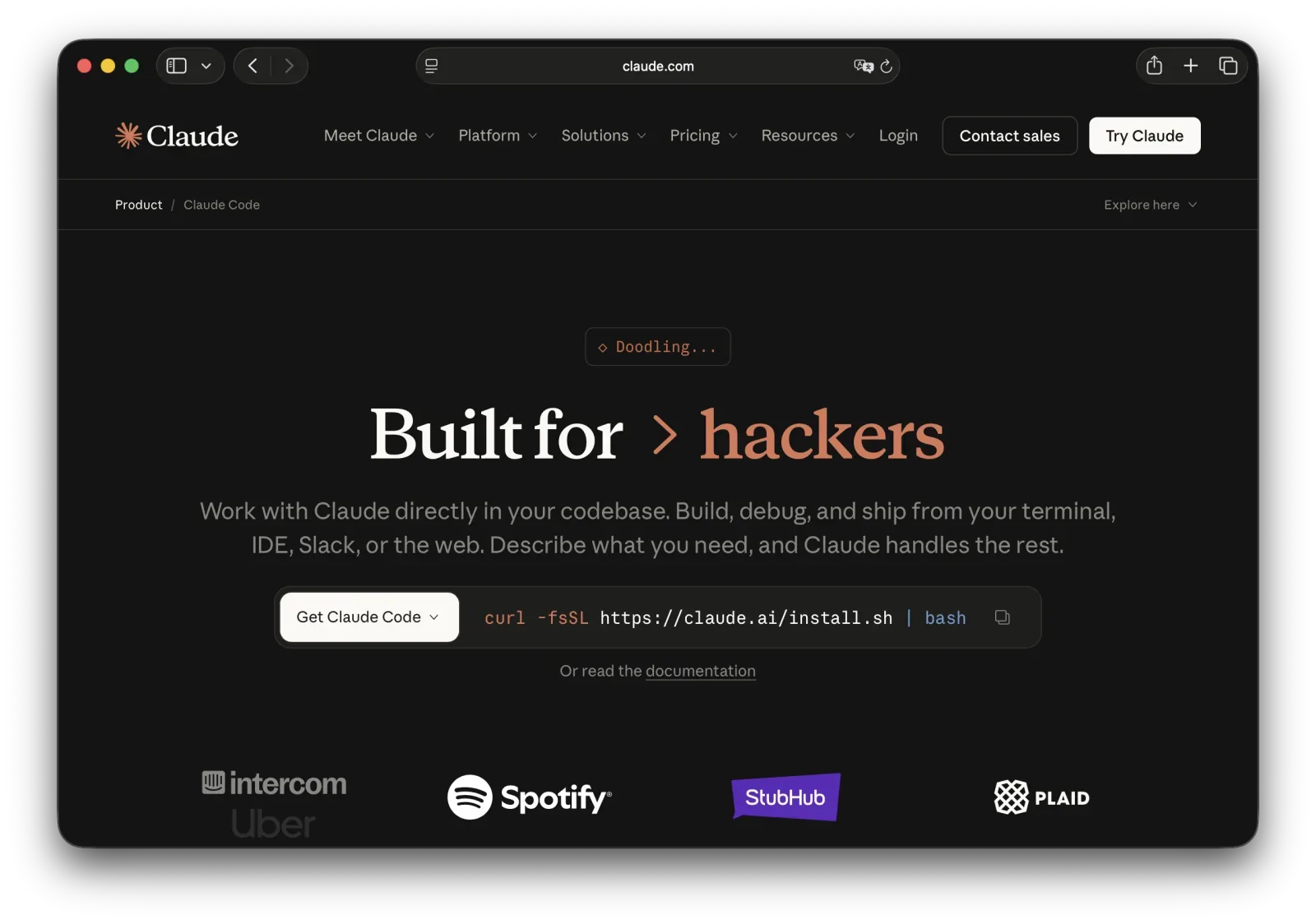
यह क्या है: Anthropic का टर्मिनल-आधारित कोडिंग एजेंट, जो Claude 5 मॉडल परिवार पर चलता है। यह रिपॉज़िटरी समझता है, कई फ़ाइलों में बदलाव करता है, टेस्ट चलाता है और दोहराव करता है।
URL: anthropic.com
Claude Code किसमें अच्छा है
बेहतरीन रीज़निंग। पेचीदा बग सुलझाने और उस लेगेसी कोड को समझाने में Claude सर्वश्रेष्ठ है जिसे आपने पहले कभी नहीं देखा।
एजेंटिक निष्पादन जो भटकता नहीं। यह रेपो का नक़्शा बनाता है, तालमेल वाले बदलाव करता है, टेस्ट चलाता है और आगे बढ़ता रहता है। लंबे काम पटरी पर रहते हैं।
2026 में इसका टूलकिट बड़ा हुआ। Claude Code 2.1 में /code-review, Agent View, पिन किए बैकग्राउंड सेशन और प्लगइन इकोसिस्टम जुड़े।
टर्मिनल-नेटिव। एडिटर बदलने की ज़रूरत नहीं।
Claude Code कहाँ कमज़ोर है
सीखने में समय लगता है। शेल में सहज डेवलपर्स के लिए सबसे उपयुक्त।
उपयोग सीमाएँ चुभती हैं। भारी एजेंट काम पर $20 वाला Pro जल्दी ख़त्म होता है। इसीलिए Max $100 और $200 पर है।
Claude Code की कीमत
| प्लान | कीमत | मुख्य फ़ीचर |
|---|---|---|
| Pro | $20/माह | सामान्य उपयोग |
| Max 5x | $100/माह | 5 गुना ज़्यादा सीमा |
| Max 20x | $200/माह | 20 गुना ज़्यादा सीमा |
किसके लिए सर्वश्रेष्ठ
जटिल डीबगिंग, कोड समीक्षा, और अनजान कोडबेस समझना।
हमारी रेटिंग: 9/10
रीज़निंग की बढ़त असली है, और 2026 की टूलिंग ने वर्कफ़्लो की ज़्यादातर कमियाँ भर दीं।
5. OpenCode — सर्वश्रेष्ठ ओपन-सोर्स एजेंट
यह क्या है: SST टीम (अब Anomaly) का टर्मिनल-आधारित, मॉडल-अज्ञेयवादी कोडिंग एजेंट। MIT लाइसेंस।
URL: opencode.ai
OpenCode किसमें अच्छा है
वृद्धि अविश्वसनीय है। OpenCode ने 160,000 से ज़्यादा GitHub स्टार्स पार किए और 7.5 मिलियन मासिक सक्रिय डेवलपर्स बताता है। लगभग एक साल में अनजान से हर जगह।
सचमुच मॉडल-अज्ञेयवादी। इसे Claude, GPT, Gemini, Kimi या लोकल मॉडल पर लगाइए। कीमत बदले तो स्विच कर लीजिए।
मुफ़्त, BYOK के साथ। टूल की कोई कीमत नहीं। आप सीधे मॉडल प्रोवाइडर को भुगतान करते हैं, ऊपर से कोई वेंडर मार्जिन नहीं।
MIT लाइसेंस। फ़ोर्क कीजिए, ऑडिट कीजिए, कंपनी के भीतर चलाइए।
OpenCode कहाँ कमज़ोर है
व्यवस्था आपको सँभालनी है। API keys, मॉडल चयन और लागत प्रबंधन आपका काम है।
नाम को लेकर उलझन। इसे Charm के Crush या मिलते-जुलते नाम वाले प्रोजेक्ट्स से भ्रमित न करें। आपको SST/Anomaly टीम वाला चाहिए।
कोई सपोर्ट कॉन्ट्रैक्ट नहीं। यह ओपन सोर्स है। सामुदायिक मदद या कुछ नहीं।
किसके लिए सर्वश्रेष्ठ
वे डेवलपर्स जो बिना सब्सक्रिप्शन और वेंडर लॉक-इन के एजेंटिक कोडिंग चाहते हैं।
हमारी रेटिंग: 9/10
इस पूरी गाइड में सबसे अच्छा मूल्य, और मुक़ाबला दूर-दूर तक नहीं।
6. OpenAI Codex — ऑटोनॉमस कामों के लिए सर्वश्रेष्ठ

यह क्या है: OpenAI का कोडिंग एजेंट, जो अब GPT-5.5 लाइन पर चलता है।
Codex किसमें अच्छा है
बहु-चरणीय कामों में निश्चयात्मक। यह रेपो संरचना पढ़ता है, तालमेल वाले बदलाव करता है, टेस्ट चलाता है और भटकता नहीं।
CLI-उन्मुख। काम पर लगाइए और चले जाइए, एडिटर में निगरानी करने की ज़रूरत नहीं।
ChatGPT के साथ शामिल। अगर आप पहले से $20 वाला Plus या $100 वाला Pro लेते हैं, तो यह आपके पास है।
Codex कहाँ कमज़ोर है
"डिफ़ॉल्ट IDE" वाली पहचान कम। Cursor या Copilot जितने ट्यूटोरियल और सामुदायिक जवाब नहीं।
कीमत अस्पष्ट लगती है। लंबे एजेंट कामों की लागत पहले से साफ़ नहीं होती।
Codex की कीमत (ChatGPT प्लान के ज़रिए)
| प्लान | कीमत | मुख्य फ़ीचर |
|---|---|---|
| Free | $0 | बहुत सीमित |
| Go | $8/माह | प्रवेश टियर |
| Plus | $20/माह | सामान्य एक्सेस |
| Pro | $100/माह | ज़्यादा सीमा |
| Pro 20x | $200/माह | अधिकतम सीमा |
किसके लिए सर्वश्रेष्ठ
वे डेवलपर्स जो AI को काम पर लगाकर छोड़ देना चाहते हैं।
हमारी रेटिंग: 8/10
7. Kimi Code — कीमत-प्रदर्शन में सर्वश्रेष्ठ
यह क्या है: Moonshot AI का कोडिंग प्रोडक्ट। Kimi Code CLI ओपन-सोर्स टर्मिनल क्लाइंट है, और Kimi K2.7 Code डिफ़ॉल्ट मॉडल।
URL: kimi.com
Kimi किसमें अच्छा है
जो देता है उसके लिए सस्ता है। प्लान $19/माह से शुरू, सालाना बिलिंग पर $15। इसकी तुलना शीर्ष अमेरिकी टियर के $200 से कीजिए।
ओपन वेट। K2.7 Code ओपन वेट के साथ आता है, तो आप एक होस्ट में बँधे नहीं।
बेंचमार्क प्रतिस्पर्धी हैं। Kimi K2 Thinking स्नैपशॉट के अनुसार SWE-bench Verified पर 71-78% के दायरे में है, और K2.7 Code उससे भी ऊपर।
API कीमत सबसे कम। K2.7 Code $0.19 प्रति मिलियन कैश्ड इनपुट टोकन, $0.95 अनकैश्ड, और $4.00 प्रति मिलियन आउटपुट टोकन।
Kimi कहाँ कमज़ोर है
सप्लाई ही समस्या है। माँग GPU क्षमता से आगे निकलने पर Moonshot ने 19 जुलाई 2026 को नए Kimi K3 सब्सक्रिप्शन रोक दिए। Reuters ने इसे अस्थायी बताया और मौजूदा भुगतान करने वाले यूज़र्स की सेवा चलती रही। फिर भी, जो बिक्री के लिए नहीं है उसे आप ख़रीद नहीं सकते।
पश्चिमी अपनाव बेंचमार्क से पीछे है। असली एंटरप्राइज़ संकेत हैं, जिनमें यह रिपोर्ट भी कि Microsoft ने Copilot के लिए Kimi पर विचार किया। लेकिन यह Copilot की तरह कहीं मानक नहीं बना।
डेटा रेज़िडेंसी के सवाल। कुछ टीमों के लिए चीन में होस्ट किया मॉडल कीमत चाहे जो हो, स्वीकार्य नहीं।
Kimi Code की कीमत
| प्लान | मासिक | सालाना (प्रभावी) |
|---|---|---|
| Moderato | $19/माह | $15/माह |
| Allegretto | $39/माह | $31/माह |
| Allegro | $99/माह | $79/माह |
| Vivace | $199/माह | $159/माह |
किसके लिए सर्वश्रेष्ठ
बजट के प्रति सजग डेवलपर्स और वे लोग जो फ्रंटियर कीमत के बिना फ्रंटियर-जैसा कोडिंग प्रदर्शन चाहते हैं।
हमारी रेटिंग: 8/10
व्यावसायिक AI कोडिंग में प्रति डॉलर सर्वश्रेष्ठ मूल्य, उपलब्धता की एक शर्त के साथ।
8. Aider — git वर्कफ़्लो के लिए सर्वश्रेष्ठ
यह क्या है: एक ओपन-सोर्स, git-नेटिव CLI कोडिंग असिस्टेंट। अब भी सक्रिय रूप से मेंटेन किया जाता है, क़रीब 40,000 GitHub स्टार्स के साथ।
URL: aider.chat
Aider किसमें अच्छा है
git ही इंटरफ़ेस है। Aider अपने बदलाव समझदार मैसेज के साथ ख़ुद कमिट करता है। diff देखिए, रखिए या वापस कीजिए।
मुफ़्त। आप सिर्फ़ मॉडल की लागत देते हैं।
संरचित रिफ़ैक्टर के लिए बेहतरीन। अगर आप diff और commit में सोचते हैं, तो यह आपके दिमाग़ से मेल खाता है।
Aider कहाँ कमज़ोर है
कोई GUI नहीं। टर्मिनल या कुछ नहीं।
नए एजेंटों से कम ऑटोनॉमस। यह महत्वाकांक्षी कम, सटीक ज़्यादा है।
किसके लिए सर्वश्रेष्ठ
वे डेवलपर्स जो diff, commit और इस बात पर कड़ा नियंत्रण चाहते हैं कि क्या बदला।
हमारी रेटिंग: 7/10
IDE एक्सटेंशन
ये टूल आपके मौजूदा एडिटर में जुड़ते हैं और वर्कफ़्लो में कम बाधा डालते हैं।
9. GitHub Copilot — टीमों के लिए सर्वश्रेष्ठ

यह क्या है: मूल AI कोडिंग असिस्टेंट, GitHub ने OpenAI के साथ बनाया। अब यह एक प्लेटफ़ॉर्म है जो आपके IDE में और GitHub के भीतर रहता है।
URL: github.com/features/copilot
Copilot किसमें अच्छा है
गहरा GitHub इंटीग्रेशन। यह रेपो, ब्रांच, diff और PR वर्कफ़्लो समझता है। GitHub में रहने वाली टीमों के लिए यह स्वाभाविक विस्तार है।
Issue से PR तक। Copilot का एजेंट बदलाव की योजना बना सकता है, उन्हें लागू कर सकता है और पुल रिक्वेस्ट खोल सकता है।
मल्टी-मॉडल विकल्प। Copilot Chat के भीतर OpenAI, Claude और Gemini मॉडल के बीच स्विच कीजिए।
व्यापक अपनाव। ज़्यादा यूज़र यानी ज़्यादा दस्तावेज़, ज़्यादा ट्यूटोरियल, और अटकने पर ज़्यादा जवाब।
Copilot कहाँ कमज़ोर है
Cursor से कम कॉन्टेक्स्ट-सजग। बहुत बड़े कोडबेस पर यह AI-नेटिव एडिटरों से पीछे रहता है।
सुझावों में छिपे बग हो सकते हैं। पुराने API और सुरक्षा ख़ामियाँ निकल जाती हैं। ध्यान से समीक्षा कीजिए।
यह AI-नेटिव एडिटर नहीं है। यह एक्सटेंशन है, और वह सीमा असली है।
Copilot की कीमत
| प्लान | कीमत | मुख्य फ़ीचर |
|---|---|---|
| Free | $0 | सीमित रिक्वेस्ट |
| Pro | $10/माह | असीमित कम्प्लीशन, चैट |
| Pro+ | $39/माह | फ्रंटियर मॉडल, एजेंट |
| Max | $100/माह | भारी एजेंट उपयोग |
| Business | $19/यूज़र/माह | एडमिन, नीति नियंत्रण |
| Enterprise | $39/यूज़र/माह | सुरक्षा, अनुपालन |
किसके लिए सर्वश्रेष्ठ
वे टीमें जो पहले से CI/CD के लिए GitHub इस्तेमाल करती हैं। वे एंटरप्राइज़ जिन्हें सेल्फ़-होस्टिंग के बिना अनुपालन चाहिए।
हमारी रेटिंग: 9/10
सबसे भरोसेमंद विकल्प, सबसे अच्छी एंटरप्राइज़ कहानी के साथ।
10. Cline — सर्वश्रेष्ठ ओपन-सोर्स VS Code एजेंट

यह क्या है: VS Code के भीतर चलने वाला ओपन-सोर्स ऑटोनॉमस कोडिंग एजेंट। अपनी API key लाइए।
Cline किसमें अच्छा है
पूरा नियंत्रण। Claude, GPT या कोई भी संगत मॉडल इस्तेमाल कीजिए। सिर्फ़ उतना भुगतान जितना इस्तेमाल हो।
ऑटोनॉमस संचालन। यह ब्राउज़ करता है, कोड लिखता है और टर्मिनल कमांड चलाता है, मल्टी-फ़ाइल बदलाव ख़ुद सँभालता है।
प्राइवेसी। आपका कोड सीधे उस प्रोवाइडर के पास जाता है जिसे आपने चुना, बीच में कोई नहीं।
अब भी सक्रिय। Cline क़रीब 60,000 स्टार्स पर है और 2026 में लगातार रिलीज़ हुए, जबकि इसका सबसे नज़दीकी प्रतिद्वंद्वी बंद हो गया।
Cline कहाँ कमज़ोर है
सेटअप ज़रूरी। आप keys कॉन्फ़िगर करते हैं और आपको मॉडल कीमत की मोटी समझ चाहिए।
कम परिष्कृत। UX व्यावसायिक विकल्पों से पीछे है।
किसके लिए सर्वश्रेष्ठ
वे डेवलपर्स जो VS Code के भीतर बिना वेंडर लॉक-इन एजेंटिक क्षमता चाहते हैं।
हमारी रेटिंग: 8/10
11. Sourcegraph Amp — टीम एजेंट वर्कफ़्लो के लिए सर्वश्रेष्ठ
यह क्या है: Sourcegraph का एजेंटिक कोडिंग टूल, और Cody का उत्तराधिकारी। उपयोग-आधारित कीमत, मॉडल लागत पर कोई मार्कअप नहीं।
URL: sourcegraph.com
Amp किसमें अच्छा है
शून्य मार्कअप कीमत। आप मॉडल की लागत देते हैं। Sourcegraph ऊपर से मार्जिन नहीं जोड़ता, जो असामान्य है।
Amp Free उदार है। रोज़ाना लगभग $10 के मॉडल क्रेडिट, जो हर घंटे भरते हैं। मार्च 2026 में यह विज्ञापन-मुक्त हो गया।
टीमों के लिए बना। थ्रेड शेयरिंग और सहयोग बाद में जोड़े गए नहीं, बुनियादी हिस्सा हैं।
तेज़ अपनाव। रिपोर्ट के अनुसार Amp ने 2026 के पहले दो महीनों में 40,000 से ज़्यादा डेवलपमेंट टीमों तक पहुँच बनाई।
Amp कहाँ कमज़ोर है
इसने कुछ ऐसा बदला जो लोगों को पसंद था। Cody यूज़र्स को माइग्रेट किया गया, और सब जाना नहीं चाहते थे।
उपयोग-आधारित कीमत अनिश्चित है। कोई मार्कअप न होना बढ़िया है। कोई सीमा न होना डरावना हो सकता है।
किसके लिए सर्वश्रेष्ठ
वे टीमें जो पारदर्शी, पास-थ्रू कीमत के साथ एजेंटिक कोडिंग चाहती हैं।
हमारी रेटिंग: 8/10
12. Amazon Q Developer — AWS के लिए सर्वश्रेष्ठ

यह क्या है: Amazon का AI कोडिंग असिस्टेंट, AWS से गहराई से जुड़ा। यह वही टूल है जिसे पहले CodeWhisperer कहा जाता था, अप्रैल 2024 में इसका नाम बदला गया।
URL: aws.amazon.com/q/developer
Q Developer किसमें अच्छा है
AWS-नेटिव। यह AWS के तौर-तरीक़ों से मेल खाता Terraform और CloudFormation लिखता है, और Lambda व SageMaker पैटर्न अच्छी तरह जानता है।
सुरक्षा स्कैनिंग। कमिट से पहले सुझावों की जाँच AWS Well-Architected Framework के विरुद्ध होती है।
फ्री टियर मौजूद है। $0 में असली कार्यक्षमता, बिना क्रेडिट कार्ड।
Q Developer कहाँ कमज़ोर है
AWS-केंद्रित। AWS के बाहर सामान्य सुझाव Copilot और Cursor से पीछे रहते हैं।
सीमित मॉडल विकल्प। आपको Amazon के चुने मॉडल मिलते हैं।
Q Developer की कीमत
| प्लान | कीमत | मुख्य फ़ीचर |
|---|---|---|
| Free | $0 | कोर फ़ीचर |
| Pro | $19/यूज़र/माह | एडमिन, सुरक्षा स्कैनिंग |
किसके लिए सर्वश्रेष्ठ
सर्वरलेस और क्लाउड एप्लिकेशन बनाने वाले AWS डेवलपर्स।
हमारी रेटिंग: 7/10
प्राइवेसी-केंद्रित टूल्स
सख़्त डेटा ज़रूरतों वाली टीमों के लिए।
13. Tabnine — एंटरप्राइज़ प्राइवेसी के लिए सर्वश्रेष्ठ

यह क्या है: एक AI कोडिंग प्लेटफ़ॉर्म जो क्लाउड, ऑन-प्रिमाइसेस या पूरी तरह एयर-गैप्ड डिप्लॉय होता है।
URL: tabnine.com
Tabnine किसमें अच्छा है
कहीं भी डिप्लॉय। SaaS, VPC, ऑन-प्रिम या एयर-गैप्ड। आप तय करते हैं कि कोड कहाँ रहेगा।
एंटरप्राइज़ कॉन्टेक्स्ट इंजन। यह आपकी आर्किटेक्चर, फ्रेमवर्क और मानक सीखता है, लेगेसी हिस्सों समेत।
अनुपालन के लिए तैयार। GDPR, SOC 2 और ISO 27001, लाइसेंस संदूषण से सुरक्षा के साथ।
कस्टम ट्रेनिंग। अपने कोडबेस पर ट्रेन कीजिए ताकि सुझाव आपकी शैली का पालन करें।
Tabnine कहाँ कमज़ोर है
कीमत उछल गई। Tabnine अब Code Assistant $39 प्रति यूज़र/माह और Agentic Platform $59 प्रति यूज़र/माह पर देता है। पुराना $9 वाला प्लान ख़त्म, और सस्ता प्रवेश भी।
कम अत्याधुनिक। शुद्ध क्षमता में यह Cursor और Claude Code से पीछे है।
सेटअप मेहनत माँगता है। एंटरप्राइज़ डिप्लॉयमेंट में असली निवेश लगता है।
Tabnine की कीमत
| प्लान | कीमत | मुख्य फ़ीचर |
|---|---|---|
| Code Assistant | $39/यूज़र/माह | कम्प्लीशन, चैट |
| Agentic Platform | $59/यूज़र/माह | एजेंट, गहरा कॉन्टेक्स्ट |
| Enterprise | कस्टम | ऑन-प्रिम, एयर-गैप्ड |
किसके लिए सर्वश्रेष्ठ
नियमित उद्योग जहाँ डेटा रेज़िडेंसी पर समझौता नहीं: वित्त, स्वास्थ्य, रक्षा।
हमारी रेटिंग: 7/10
14. Continue.dev — सर्वश्रेष्ठ सेल्फ़-होस्टेड विकल्प

यह क्या है: एक ओपन-सोर्स AI कोडिंग असिस्टेंट जो कोई भी मॉडल चला सकता है, लोकल मॉडल समेत।
URL: continue.dev
Continue किसमें अच्छा है
पूरी तरह खुला। Claude, GPT, Ollama या कोई भी संगत मॉडल। आपका कोड कैसे प्रोसेस होता है, इस पर पूरी पारदर्शिता।
लोकल विकल्प। इसे पूरी तरह अपने हार्डवेयर पर चलाइए और कोई कोड बाहर नहीं जाएगा।
IDE इंटीग्रेशन। चैट और ऑटोकम्प्लीट के साथ ठोस VS Code और JetBrains एक्सटेंशन।
Continue कहाँ कमज़ोर है
कॉन्फ़िगरेशन ज़रूरी। मॉडल एक्सेस आप ख़ुद सेट करते हैं। यह प्लग-एंड-प्ले नहीं है।
छोटा समुदाय। व्यावसायिक टूल्स से कम दस्तावेज़।
किसके लिए सर्वश्रेष्ठ
प्राइवेसी के प्रति सजग डेवलपर्स जिन्हें पूरा नियंत्रण चाहिए, और वे टीमें जो कोड तीसरे पक्ष को नहीं भेज सकतीं।
हमारी रेटिंग: 7/10
15. Forge — Next.js और मॉडर्न UI के लिए सर्वश्रेष्ठ
यह क्या है: एक AI ऐप बिल्डर जो सामान्य भाषा से प्रोडक्शन-रेडी Next.js एप्लिकेशन बनाता है, पूरे कोड स्वामित्व के साथ।
URL: forge.new
Forge किसमें अच्छा है
डिज़ाइन आउटपुट जो सामान्य नहीं है। ज़्यादातर AI बिल्डर एक जैसे दिखने वाले ऐप बनाते हैं। Forge मॉडर्न UI देता है जिसे दोबारा नहीं बनाना पड़ता।
पूरा कोड स्वामित्व। कोड एक्सपोर्ट कीजिए और कहीं भी डिप्लॉय कीजिए। कोई प्लेटफ़ॉर्म लॉक-इन नहीं।
Next.js नेटिव। यह फ्रेमवर्क-तटस्थ अनुमान नहीं, असली Next.js कोड बनाता है।
Forge कहाँ कमज़ोर है
दायरा सीमित। यह Next.js और मॉडर्न वेब ऐप के लिए बना है। अगर आप Rust सर्विस लिख रहे हैं, तो यह आपका टूल नहीं।
ऐप बिल्डर, असिस्टेंट नहीं। Forge ऐप बनाता है। यह आपके एडिटर में बैठकर लाइनें पूरी नहीं करता।
किसके लिए सर्वश्रेष्ठ
वे फ़ाउंडर और डेवलपर्स जो जल्दी चलता हुआ Next.js ऐप चाहते हैं और फिर कोड का स्वामित्व चाहते हैं।
हमारी रेटिंग: 9/10
इस साल जो टूल्स बंद हुए
जनवरी का हर टूल अगस्त तक नहीं बचा। जो हुआ, वह यह रहा:
Sourcegraph Cody. Sourcegraph ने व्यक्तिगत उपयोगकर्ताओं के लिए फ्री और Pro प्लान बंद कर दिए। Cody Enterprise बचा है, और असली उत्तराधिकारी Amp है। अगर आप अकेले डेवलपर हैं, तो Cody अब विकल्प नहीं।
Roo Code. 15 मई 2026 को बंद, GitHub रेपो आर्काइव। इससे पहले यह 3 मिलियन इंस्टॉल तक पहुँचा। टीम ने Roomote नाम के क्लाउड एजेंट का रुख़ किया, यह तर्क देते हुए कि IDE कोडिंग का भविष्य नहीं हैं। अगर आप अब भी एक्सटेंशन चला रहे हैं, तो Cline पर माइग्रेशन की योजना बनाइए।
Gemini Code Assist (व्यक्तिगत)। IDE एक्सटेंशन ने 18 जून 2026 को रिक्वेस्ट देना बंद कर दिया। Google ने सबको Antigravity पर भेज दिया।
Supermaven. Anysphere ने इसे ख़रीदकर टीम को Cursor में मिला दिया। तेज़ कम्प्लीशन तकनीक Cursor के भीतर ज़िंदा है। स्टैंडअलोन प्रोडक्ट नहीं।
सबक़? ऐसे टूल पर अपूरणीय वर्कफ़्लो मत बनाइए जिसे आप सेल्फ़-होस्ट नहीं कर सकते।
निर्णय मैट्रिक्स
मुख्य ज़रूरत के अनुसार
| आपकी स्थिति | सर्वश्रेष्ठ विकल्प | क्यों |
|---|---|---|
| जटिल मल्टी-फ़ाइल प्रोजेक्ट | Cursor | सबसे गहरी कॉन्टेक्स्ट समझ |
| पेचीदा बग डीबग करना | Claude Code | अनजान कोड पर सर्वश्रेष्ठ रीज़निंग |
| GitHub पर टीम | GitHub Copilot | सहज वर्कफ़्लो इंटीग्रेशन |
| शून्य बजट | OpenCode या Cline | मुफ़्त टूल, सिर्फ़ मॉडल लागत |
| सबसे सस्ता पेड प्लान | Kimi Code | $19/माह, ओपन-वेट मॉडल |
| प्राइवेसी/अनुपालन ज़रूरी | Tabnine | ऑन-प्रिम और एयर-गैप्ड विकल्प |
| AWS डेवलपमेंट | Amazon Q Developer | फ्री टियर, AWS-नेटिव |
| टीम एजेंट वर्कफ़्लो | Sourcegraph Amp | पास-थ्रू कीमत, थ्रेड शेयरिंग |
| Next.js ऐप शिप करना | Forge | प्रोडक्शन-रेडी आउटपुट, कोड आपका |
तकनीकी कौशल के अनुसार
| स्तर | सर्वश्रेष्ठ विकल्प |
|---|---|
| शुरुआती | GitHub Copilot, Windsurf, Forge |
| मध्यम | Cursor, Windsurf, Copilot |
| उन्नत | Claude Code, OpenCode, Cursor, Aider |
| एंटरप्राइज़ | Copilot Enterprise, Tabnine, Amp |
बजट के अनुसार
| मासिक बजट | सर्वश्रेष्ठ विकल्प |
|---|---|
| $0 | OpenCode, Cline, Aider, Continue.dev, Amp Free |
| $20 से कम | Copilot ($10), Kimi Code ($19), Amazon Q ($19) |
| $20-60 | Cursor, Claude Code, Windsurf, Codex |
| $100+ | Copilot Max, Claude Max, Cursor Ultra |
AI ऐप बिल्डर्स का क्या?
AI कोडिंग असिस्टेंट आपको तेज़ी से कोड लिखने में मदद करते हैं। लेकिन अगर आप चाहते हैं कि AI पूरा एप्लिकेशन बनाए, तो वह अलग श्रेणी है।
Bolt, Lovable और Forge जैसे टूल विवरण से पूरे ऐप बनाते हैं: फ्रंटएंड, बैकएंड, डेटाबेस और डिप्लॉयमेंट। AI ऐप बिल्डर्स की तुलना के लिए हमारी Lovable बनाम Bolt बनाम v0 बनाम Forge तुलना देखिए।
बिना कोड के वेबसाइट बनाने वाले AI टूल्स पर व्यापक नज़र के लिए हमारी Best AI Website Builders गाइड पढ़िए।
Ship apps faster with AI
Generate production-ready Next.js apps from a prompt. Full code ownership, deploy anywhere, stunning design output.
निष्कर्ष
2026 में AI कोडिंग बाज़ार सिमटा। चार टूल बंद हुए या समाहित हुए, कीमतें दोनों दिशाओं में गईं, और दो नए नामों ने असली हिस्सेदारी ली।
कोडिंग असिस्टेंट से परे ऑटोनॉमस एजेंट कैसे काम करते हैं, इस पर गहराई से जानने के लिए हमारी AI एजेंट्स की पूरी गाइड पढ़िए।
आज मैं ऐसे चुनता:
ज़्यादातर डेवलपर्स के लिए: $10/माह पर GitHub Copilot से शुरू कीजिए। यह आज़माया हुआ, सस्ता है और उसी एडिटर में चलता है जो आपके पास है। मल्टी-फ़ाइल बदलावों पर अटकें? Cursor पर जाइए।
जटिल प्रोजेक्ट्स के लिए: Cursor की कॉन्टेक्स्ट समझ अब भी बेजोड़ है, और Composer 2 ने मॉडल की खाई पाट दी।
डीबगिंग के लिए: Claude Code। अनजान कोड को समझाने में कोई इसकी बराबरी नहीं करता।
शून्य बजट के लिए: OpenCode। 7.5 मिलियन डेवलपर्स संयोग से नहीं आए, और MIT लाइसेंस का मतलब है कोई इसे आपसे छीन नहीं सकता।
एंटरप्राइज़ प्राइवेसी के लिए: Tabnine या Continue.dev। बस Tabnine की नई कीमत का बजट रखिए।
एक और बात: 46% डेवलपर्स AI आउटपुट पर सक्रिय अविश्वास करते हैं, और सिर्फ़ 3% पूरा भरोसा करते हैं। यह इन टूल्स से बचने की वजह नहीं है। यह वजह है कि जो ये लिखें, उसकी समीक्षा कीजिए।
2026 में जीतने वाली रणनीति हमेशा के लिए एक टूल चुनना नहीं है। यह दो या तीन चलाना और यह जानना है कि कब कौन सा उठाना है।
संबंधित संसाधन
Frequently Asked Questions
-
ज़्यादातर डेवलपर्स के लिए Cursor ($20/माह) अब भी कोडबेस समझ, मल्टी-फ़ाइल एडिटिंग और AI-नेटिव डिज़ाइन का सबसे अच्छा मिश्रण देता है। अगर आप टर्मिनल में काम करते हैं तो Claude Code और OpenAI Codex बेहतर हैं। GitHub Copilot ($10/माह) उन टीमों के लिए सबसे सुरक्षित विकल्प है जो पहले से GitHub पर हैं। और अगर आप सिर्फ़ मॉडल की लागत देना चाहते हैं, तो OpenCode वह ओपन-सोर्स एजेंट है जो 2026 में तेज़ी से आगे बढ़ा।
-
हाँ, ज़्यादातर डेवलपर्स के लिए। Pro प्लान $10/माह पर है, और अगर यह महीने में एक घंटा भी बचाता है तो लागत वसूल हो जाती है। इनलाइन सुझाव, मल्टी-मॉडल चैट और GitHub वर्कफ़्लो में यह सबसे बेहतर है। 2026 में Copilot ने भारी एजेंट उपयोग के लिए $100/माह का Max टियर भी जोड़ा। गहरे मल्टी-फ़ाइल काम में Cursor अब भी आगे है।
-
Copilot एक एक्सटेंशन है जो आपके मौजूदा IDE में AI जोड़ता है। Cursor एक स्टैंडअलोन AI-नेटिव एडिटर है, जो VS Code से फ़ोर्क किया गया है और शुरू से AI के इर्द-गिर्द बनाया गया है। मल्टी-फ़ाइल रिफ़ैक्टरिंग और प्रोजेक्ट-व्यापी कॉन्टेक्स्ट में Cursor बेहतर है, ख़ासकर अपने Composer 2 एजेंट मॉडल के साथ। Copilot GitHub के साथ ज़्यादा गहराई से जुड़ता है और ज़्यादा IDE सपोर्ट करता है।
-
Tabnine ऑन-प्रिमाइसेस और एयर-गैप्ड डिप्लॉयमेंट देता है, हालाँकि 2026 में इसकी कीमत बढ़कर $39 प्रति यूज़र/माह हो गई। Continue.dev, Cline और OpenCode ओपन-सोर्स विकल्प हैं जिनमें आप अपनी API key इस्तेमाल करते हैं, यानी आपका कोड सीधे उस मॉडल प्रोवाइडर के पास जाता है जिसे आप चुनते हैं, किसी बिचौलिए के ज़रिए नहीं।
-
हाँ। OpenCode, Cline, Aider और Continue.dev सभी मुफ़्त और ओपन-सोर्स हैं — आप सिर्फ़ अपने मॉडल प्रोवाइडर को भुगतान करते हैं। Amp Free रोज़ाना लगभग $10 के मॉडल क्रेडिट देता है। GitHub Copilot का फ्री टियर है, और Windsurf अब भी 25 क्रेडिट प्रति माह वाला फ्री प्लान देता है। ध्यान दें कि व्यक्तिगत उपयोगकर्ताओं के लिए Gemini Code Assist ने 18 जून 2026 को रिक्वेस्ट देना बंद कर दिया।
-
Moonshot AI का Kimi Code 2026 में कीमत-प्रदर्शन के लिहाज़ से सबसे मज़बूत विकल्पों में है। इसका डिफ़ॉल्ट कोडिंग मॉडल Kimi K2.7 Code ओपन-वेट है, और प्लान $19/माह से शुरू होते हैं। दिक्कत सप्लाई की है: Reuters के अनुसार, माँग GPU क्षमता से आगे निकलने पर Moonshot ने 19 जुलाई 2026 को नए Kimi K3 सब्सक्रिप्शन रोक दिए।
-
वाइब कोडिंग का मतलब है कि आप सामान्य भाषा में बताएँ कि आपको क्या चाहिए और AI कोड लिख दे। Cursor Composer और Windsurf Cascade जैसे टूल यह वर्कफ़्लो देते हैं। यह रोज़मर्रा के काम को तेज़ करता है, लेकिन Stack Overflow के अनुसार सिर्फ़ 3% डेवलपर्स AI आउटपुट पर पूरा भरोसा करते हैं। इसे रफ़्तार के लिए इस्तेमाल करें, फिर जो बने उसकी समीक्षा करें।
Forge
AI App Builder
Build full-stack Next.js apps from a prompt. You own the code. Deploy anywhere.


Next.js
Supabase
AI-Powered
Join 50k+ subscribers
Web dev, SaaS, growth & marketing. Weekly.
Keep Learning
More articles you might find interesting.