Back to Blog
 DesignRevision Editorial
· SaaS, frontend & developer tooling
DesignRevision Editorial
· SaaS, frontend & developer tooling
Best AI for Coding in 2026: 15 Tools Compared
DesignRevision Editorial
· SaaS, frontend & developer tooling
•
Updated August 15, 2026
•
23 min read
Human Written
Share:
AI coding tools stopped being autocomplete a while back.
According to Stack Overflow's developer survey of roughly 49,000 developers across 177 countries, 84% now use or plan to use AI tools, up from 76% a year earlier.
And these tools aren't just finishing your sentences anymore.
They're autonomous agents that read your whole repo, make multi-file changes, run your tests, and iterate on their own.
Here's the twist: trust went the other way. Only 29% of developers trust AI output to be accurate, down from 40%. A mere 3% say they highly trust it.
So the question isn't whether to use AI. It's which one to point at what.
I put 15 AI coding assistants through real work for this guide: building features, debugging issues, refactoring code.
Not toy demos.
Here's what actually matters when you're picking one: code quality, context understanding, pricing, and when each tool makes sense.
Target audience: Developers who want AI assistance without the hype. This guide helps you pick the right tool for your workflow, budget, and privacy requirements.
Key Takeaways
Short on time? Here's the gist:
- Best for Next.js and modern UI: Forge - it generates production-ready Next.js apps from natural language.
- Best overall: Cursor ($20/mo) - deepest codebase understanding, now running its own Composer 2 agent model.
- Best for reasoning: Claude Code ($20/mo) - superior debugging, code explanation, and agentic execution.
- Best for teams: GitHub Copilot ($10/mo) - proven reliability, GitHub integration.
- Best open source: OpenCode - MIT-licensed, 160K+ GitHub stars, and you only pay your model provider.
- Best price-to-performance: Kimi Code ($19/mo) - open-weight coding models at a fraction of US pricing.
- Best for enterprise privacy: Tabnine - on-premises and air-gapped deployment.
- And the right tool depends on your workflow: a lot of developers run 2-3 tools for different tasks.
Table of Contents
- What Changed in 2026
- The 2026 AI Coding Landscape
- How We Evaluated
- Quick Comparison Table
- AI-Native Editors
- Terminal Agents
- IDE Extensions
- Privacy-Focused Tools
- Tools That Died This Year
- The Decision Matrix
- Conclusion
What Changed in 2026
A lot. If you last picked a tool in January, four of the names on your shortlist have changed hands, changed price, or shut down.
Here's the short version:
- Sourcegraph Cody is gone for individuals. Sourcegraph killed the free and Pro plans and replaced Cody with Amp, an agentic tool with usage-based pricing.
- Gemini Code Assist for individuals stopped serving requests on June 18, 2026. Google folded it into Antigravity, its new agent-first platform.
- Roo Code shut down on May 15, 2026. The repo is archived. The team pivoted to a cloud product called Roomote after hitting 3 million installs.
- Supermaven no longer exists as a standalone product. Anysphere absorbed it into Cursor.
- Tabnine repriced HARD, from $9/month to $39 per user/month.
- OpenCode came out of nowhere and now reports 7.5 million monthly active developers.
- Kimi Code turned Chinese open-weight models into a serious budget option, then got so popular Moonshot had to pause signups.
That's seven material changes in seven months.
The 2026 AI Coding Landscape
The market has matured beyond simple autocomplete. Tools now fall into three categories:
AI-Native Editors
Cursor, Windsurf, and Antigravity rebuilt the editor around AI. They index your entire codebase, not just the open file.
Terminal Agents
Claude Code, Codex, OpenCode, and Aider work from your shell. You assign a task, they execute across files and run your tests.
IDE Extensions
GitHub Copilot, Cline, and Continue.dev plug into the editor you already use. Less disruptive to adopt, and easier to drop.
The Shift from Copilots to Agents
In 2024, AI completed your sentences. In 2026, AI manages entire feature branches.
Cursor shipped Composer 2 in March 2026, its own model built for long-running agentic tasks. Windsurf shipped SWE-1.5 and codemaps under Cognition. Claude Code added background sessions and a plugin ecosystem.
The pattern is the same everywhere: less typing, more delegating.
This changes how you evaluate tools. Speed matters less than context understanding. The best AI isn't the fastest autocomplete. It's the one that understands your project well enough to make coordinated changes without breaking things.
The Trust Gap Is Real
Here's the number nobody puts in a launch post: 46% of developers actively distrust AI output accuracy, versus 33% who trust it.
Among experienced developers, "highly trust" drops to 2.6%.
So treat every tool below as a fast junior who needs review. Not an oracle.
How We Evaluated
We tested each tool against five criteria:
30%
Context Understanding
Multi-file relationships and coordinated changes
25%
Code Quality
Best practices, or subtle bugs?
20%
Workflow Fit
Integration into real development workflows
15%
Value
Features per dollar, free tier generosity
10%
Privacy / Control
Options for keeping code local or self-hosted
The Test Project
Each tool was used on a real Next.js application with 50+ files.
Here's what we threw at them:
- Multi-file refactoring tasks
- Adding new features end-to-end
- Debugging production issues
- Writing and running tests
- Code review and explanation
Quick Comparison Table
| Rank | Tool | Best For | Price | Free Tier | Our Rating |
|---|---|---|---|---|---|
| 1 | Forge | Next.js, modern UI, full apps | $20/mo | Yes | 9/10 |
| 2 | Cursor | Complex projects | $20/mo | Hobby | 9/10 |
| 3 | Claude Code | Debugging, agentic work | $20/mo | Limited | 9/10 |
| 4 | GitHub Copilot | Teams on GitHub | $10/mo | Yes | 9/10 |
| 5 | OpenCode | Open-source terminal agent | Free (BYOK) | Yes | 9/10 |
| 6 | OpenAI Codex | Autonomous tasks | $20/mo | Limited | 8/10 |
| 7 | Windsurf | Solo developers | $20/mo | 25 credits | 8/10 |
| 8 | Sourcegraph Amp | Team agent workflows | Usage-based | $10/day | 8/10 |
| 9 | Kimi Code | Price-to-performance | $19/mo | No | 8/10 |
| 10 | Cline | Open-source VS Code agent | BYOK | Yes | 8/10 |
| 11 | Google Antigravity | Gemini and Google Cloud | Free tier | Yes | 7/10 |
| 12 | Amazon Q Developer | AWS developers | $19/user/mo | Yes | 7/10 |
| 13 | Aider | Terminal and git workflows | Free (BYOK) | Yes | 7/10 |
| 14 | Continue.dev | Privacy-first, self-hosted | Free (BYOK) | Yes | 7/10 |
| 15 | Tabnine | Enterprise privacy | $39/user/mo | No | 7/10 |
Ship apps faster with AI
Generate production-ready Next.js apps from a prompt. Full code ownership, deploy anywhere, stunning design output.

AI-Native Editors
These tools rebuilt the development environment around AI.
1. Cursor - Best Overall for Complex Projects

What it is: A VS Code fork redesigned as an AI-native editor. Cursor keeps your entire codebase in context, not just the current file.
URL: cursor.com
What Cursor Does Well
Deep context understanding. Cursor indexes your entire repository and knows how files relate. Ask for a change and it works out which files need updating and how the change propagates.
Composer 2 is a real model, not a wrapper. Cursor shipped its own agentic model in March 2026, built for long-running coding tasks. That's a big shift from renting someone else's frontier model.
Tab prediction is smart. Cursor predicts your next edit, not just the next few words. It auto-imports when you use a new symbol.
Model flexibility. Run Claude, GPT, or Cursor's own Composer depending on the task.
Where Cursor Falls Short
Learning curve exists. More power means more concepts. The credit system still confuses new users.
Cost adds up. Heavy users blow past the $20 base through usage-based overages. That's what Pro+ at $60 and Ultra at $200 are for.
Cursor Pricing
| Plan | Price | Key Features |
|---|---|---|
| Hobby | $0 | Limited completions |
| Pro | $20/mo | Core agent access |
| Pro+ | $60/mo | Higher usage limits |
| Ultra | $200/mo | Maximum limits |
| Teams | $40/user/mo | Admin, pooled usage |
| Enterprise | Custom | Governance, SSO |
Best For
Developers on complex projects who want the deepest AI integration. Teams that refactor often and push large changesets.
Our Rating: 9/10
Still the best combination of context understanding and practical features.
2. Windsurf - Best Free Tier

What it is: An AI-enhanced IDE built around an autonomous agent called Cascade. Cognition acquired it in July 2025 and kept shipping.
URL: windsurf.com
What Windsurf Does Well
The free tier survived. 25 credits a month, which is roughly 100 prompts with premium models. Most competitors cut theirs.
Cascade is proactive. Instead of waiting for you to tag files, Cascade infers which files, configs, and docs matter. Less manual context wrangling.
SWE-1.5 and codemaps. Under Cognition, Windsurf shipped its own model plus codemaps for navigating unfamiliar repos. Parallel agents landed too.
Clean UX. The multi-file editing experience is polished. Some developers find it more intuitive than Cursor.
Where Windsurf Falls Short
It lost its price advantage. Windsurf used to undercut Cursor at $15. Pro is $20 now, same as Cursor.
The 2025 chaos left scars. The OpenAI deal collapsed, Google hired the CEO, and Cognition bought what remained. The product recovered. Mindshare didn't fully.
Smaller ecosystem. Fewer plugins than VS Code with Copilot.
Windsurf Pricing
| Plan | Price | Key Features |
|---|---|---|
| Free | $0 | 25 credits/month |
| Pro | $20/mo | More credits, priority |
| Max | $200/mo | Highest limits |
| Teams | $40/user/mo | Admin controls |
| Enterprise | Custom | On-premise options |
Best For
Solo developers and founders who want an agent that does more on its own before asking.
Our Rating: 8/10
Best free tier in the market. Cascade is genuinely useful.
3. Google Antigravity - Best for the Gemini Stack
What it is: Google's agent-first development platform, announced in late 2025 and expanded at I/O 2026. It absorbed Gemini Code Assist.
URL: antigravity.google
What Antigravity Does Well
It's where Google put everything. Gemini CLI is transitioning to Antigravity CLI. Code Assist folded in. If you're in the Google ecosystem, this is now the front door.
Gemini 3.5 Flash is the default. Fast, cheap, and tuned for agentic coding.
Free access exists. Google still offers a free tier, which is rare at this capability level.
Where Antigravity Falls Short
Google broke a product to get here. Gemini Code Assist for individuals stopped serving requests on June 18, 2026. If you built a workflow on it, you got moved whether you wanted to or not.
It's young. The platform is barely a year old and still shifting shape.
Best For
Developers already building on Google Cloud, and anyone who wants a capable free tier.
Our Rating: 7/10
Promising, well-funded, and still settling. Watch this one.
Terminal Agents
These tools work from your shell, executing multi-step tasks with minimal hand-holding.
4. Claude Code - Best for Reasoning and Debugging
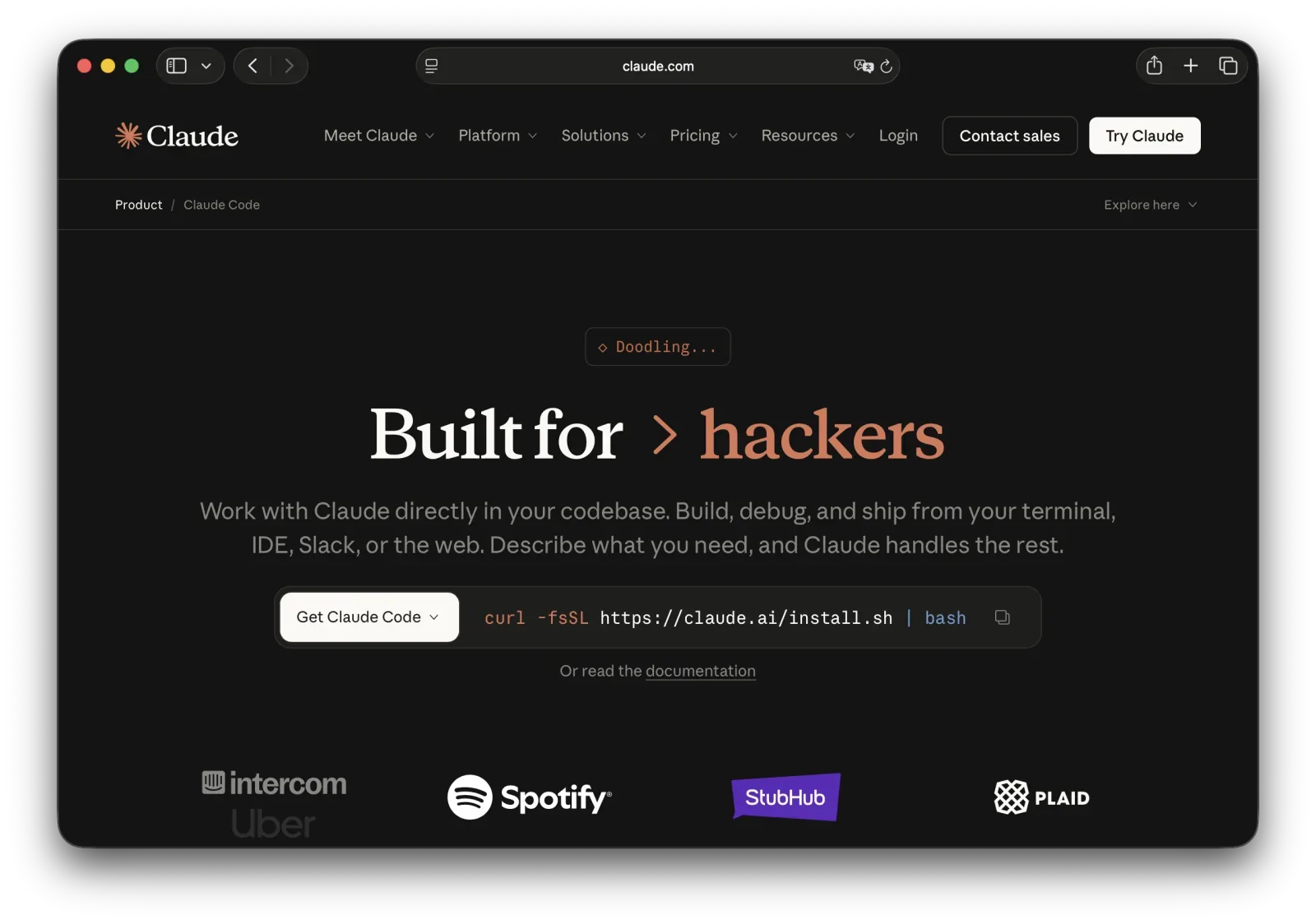
What it is: Anthropic's terminal-based coding agent, running the Claude 5 model family. It understands repositories, makes multi-file changes, runs tests, and iterates.
URL: anthropic.com
What Claude Code Does Well
Superior reasoning. Claude is best-in-class for debugging tricky issues and explaining legacy code you've never seen before.
Agentic execution that doesn't drift. It maps the repo, makes coordinated changes, runs your tests, and keeps going. Long tasks stay on track.
It grew a real toolkit in 2026. Claude Code 2.1 added /code-review, an Agent View, pinned background sessions, and a plugin ecosystem.
Terminal-native. No editor switch required.
Where Claude Code Falls Short
Learning curve. Best suited to developers comfortable in a shell.
Usage limits bite. Pro at $20 runs out fast on heavy agent work. That's why Max exists at $100 and $200.
Claude Code Pricing
| Plan | Price | Key Features |
|---|---|---|
| Pro | $20/mo | Standard usage |
| Max 5x | $100/mo | 5x higher limits |
| Max 20x | $200/mo | 20x higher limits |
Best For
Complex debugging, code review, and understanding unfamiliar codebases.
Our Rating: 9/10
The reasoning advantage is real, and the 2026 tooling closed most of the workflow gaps.
5. OpenCode - Best Open-Source Agent
What it is: A terminal-based, model-agnostic coding agent from the SST team (now Anomaly). MIT licensed.
URL: opencode.ai
What OpenCode Does Well
The growth is absurd. OpenCode passed 160,000 GitHub stars and reports 7.5 million monthly active developers. It went from unknown to everywhere in about a year.
Truly model-agnostic. Point it at Claude, GPT, Gemini, Kimi, or a local model. Switch whenever pricing changes.
Free, with BYOK. The tool costs nothing. You pay your model provider directly, so there's no vendor margin stacked on top.
MIT licensed. Fork it, audit it, ship it inside your company.
Where OpenCode Falls Short
You handle the plumbing. API keys, model selection, and cost management are your job.
Naming is a mess. Don't confuse it with Charm's Crush or unrelated projects using similar names. The one you want is from the SST/Anomaly team.
No support contract. It's open source. Community help or nothing.
Best For
Developers who want agentic coding without a subscription or vendor lock-in.
Our Rating: 9/10
The best value in this entire guide, and it isn't close.
6. OpenAI Codex - Best for Autonomous Tasks

What it is: OpenAI's coding agent, now running on the GPT-5.5 line.
What Codex Does Well
Deterministic on multi-step tasks. It reads repo structure, makes coordinated changes, runs tests, and iterates without wandering off.
CLI-oriented. Aim it at a task and walk away, rather than babysitting it in your editor.
Bundled with ChatGPT. If you already pay for Plus at $20 or Pro at $100, you already have it.
Where Codex Falls Short
Less "default IDE" mindshare. Fewer tutorials and community answers than Cursor or Copilot.
Pricing feels opaque. Long-running agent costs aren't obvious upfront.
Codex Pricing (via ChatGPT plans)
| Plan | Price | Key Features |
|---|---|---|
| Free | $0 | Very limited |
| Go | $8/mo | Entry tier |
| Plus | $20/mo | Standard access |
| Pro | $100/mo | Higher limits |
| Pro 20x | $200/mo | Maximum limits |
Best For
Developers who want to point AI at a task and let it run.
Our Rating: 8/10
7. Kimi Code - Best Price-to-Performance
What it is: Moonshot AI's coding product. Kimi Code CLI is the open-source terminal client, and Kimi K2.7 Code is the default model.
URL: kimi.com
What Kimi Does Well
It's cheap for what it does. Plans start at $19/month, dropping to $15 on annual billing. Compare that to $200 for the top US tiers.
Open weights. K2.7 Code ships with open weights, so you're not locked into one host.
Benchmarks are competitive. Kimi K2 Thinking posts SWE-bench Verified results in the 71-78% range depending on the snapshot, and K2.7 Code scores higher still.
API pricing undercuts everyone. K2.7 Code runs $0.19 per million cached input tokens, $0.95 uncached, and $4.00 per million output tokens.
Where Kimi Falls Short
Supply is the problem. Moonshot paused new Kimi K3 subscriptions on July 19, 2026 after demand outran GPU capacity. Reuters reported it as temporary, and existing paid users kept service. Still, you can't buy what isn't for sale.
Western adoption lags the benchmarks. There are real enterprise signals, including reports that Microsoft weighed Kimi for Copilot. But it hasn't standardized anywhere the way Copilot has.
Data residency questions. For some teams, a Chinese-hosted model is a non-starter regardless of price.
Kimi Code Pricing
| Plan | Monthly | Annual (effective) |
|---|---|---|
| Moderato | $19/mo | $15/mo |
| Allegretto | $39/mo | $31/mo |
| Allegro | $99/mo | $79/mo |
| Vivace | $199/mo | $159/mo |
Best For
Budget-conscious developers and anyone who wants frontier-adjacent coding performance without frontier pricing.
Our Rating: 8/10
The best value per dollar in commercial AI coding, with an availability asterisk.
8. Aider - Best for Git Workflows
What it is: An open-source, git-native CLI coding assistant. Still actively maintained, sitting around 40,000 GitHub stars.
URL: aider.chat
What Aider Does Well
Git is the interface. Aider commits its own changes with sensible messages. Review the diff, keep it or revert it.
Free. You pay model costs and nothing else.
Excellent for structured refactors. If you think in diffs and commits, this fits your brain.
Where Aider Falls Short
No GUI. Terminal or nothing.
Less autonomous than newer agents. It's precise rather than ambitious.
Best For
Developers who prefer diffs, commits, and tight control over what changed.
Our Rating: 7/10
IDE Extensions
These tools plug into your existing editor, minimizing workflow disruption.
9. GitHub Copilot - Best for Teams

What it is: The original AI coding assistant, built by GitHub with OpenAI. Now a platform that lives in your IDE and inside GitHub itself.
URL: github.com/features/copilot
What Copilot Does Well
Deep GitHub integration. It understands repos, branches, diffs, and PR workflows. For teams living in GitHub, it's a natural extension.
Issue to PR. Copilot's agent can plan changes, implement them, and open the pull request.
Multi-model choice. Switch between OpenAI, Claude, and Gemini models inside Copilot Chat.
Massive adoption. More users means more documentation, more tutorials, and more answers when you're stuck.
Where Copilot Falls Short
Less context-aware than Cursor. It still struggles on very large codebases compared to AI-native editors.
Suggestions can carry subtle bugs. Outdated APIs and security flaws slip through. Review carefully.
Not an AI-native editor. It's an extension, and that ceiling is real.
Copilot Pricing
| Plan | Price | Key Features |
|---|---|---|
| Free | $0 | Limited requests |
| Pro | $10/mo | Unlimited completions, chat |
| Pro+ | $39/mo | Frontier models, agents |
| Max | $100/mo | Heavy agent usage |
| Business | $19/user/mo | Admin, policy controls |
| Enterprise | $39/user/mo | Security, compliance |
Best For
Teams already using GitHub for CI/CD. Enterprises that need compliance without self-hosting.
Our Rating: 9/10
Most reliable option with the best enterprise story.
10. Cline - Best Open-Source VS Code Agent

What it is: An open-source autonomous coding agent that runs inside VS Code. Bring your own API key.
What Cline Does Well
Full control. Use Claude, GPT, or any compatible model. Pay only for what you use.
Autonomous operation. It browses, codes, and runs terminal commands, handling multi-file changes on its own.
Privacy. Your code goes straight to the provider you picked, not through a middleman.
Still shipping. Cline sits around 60,000 stars with active releases through 2026, while its closest rival shut down.
Where Cline Falls Short
Setup required. You configure keys and need a rough sense of model pricing.
Less polished. The UX trails commercial alternatives.
Best For
Developers who want agentic capability inside VS Code without vendor lock-in.
Our Rating: 8/10
11. Sourcegraph Amp - Best for Team Agent Workflows
What it is: Sourcegraph's agentic coding tool, and the replacement for Cody. Usage-based with no markup on model costs.
URL: sourcegraph.com
What Amp Does Well
Zero markup pricing. You pay model cost. Sourcegraph doesn't stack a margin on top, which is unusual.
Amp Free is generous. Roughly $10/day in model credits, replenishing hourly. It went ad-free in March 2026.
Built for teams. Thread sharing and collaboration are first-class, not bolted on.
Fast adoption. Reports put Amp at 40,000+ development teams within its first two months of 2026.
Where Amp Falls Short
It replaced something people liked. Cody users got migrated, and not all of them wanted to go.
Usage-based pricing is unpredictable. No markup is great. No cap can be scary.
Best For
Teams that want agentic coding with transparent, pass-through pricing.
Our Rating: 8/10
12. Amazon Q Developer - Best for AWS

What it is: Amazon's AI coding assistant, deeply wired into AWS. This is the tool formerly called CodeWhisperer, rebranded in April 2024.
URL: aws.amazon.com/q/developer
What Q Developer Does Well
AWS-native. It writes Terraform and CloudFormation that matches AWS practice, and it knows Lambda and SageMaker patterns cold.
Security scanning. Suggestions get checked against the AWS Well-Architected Framework before you commit.
There's a free tier. $0 gets you real functionality, no credit card.
Where Q Developer Falls Short
AWS-centric. Off AWS, generic suggestions trail Copilot and Cursor.
Limited model options. You get Amazon's picks.
Q Developer Pricing
| Plan | Price | Key Features |
|---|---|---|
| Free | $0 | Core features |
| Pro | $19/user/mo | Admin, security scanning |
Best For
AWS developers building serverless and cloud applications.
Our Rating: 7/10
Privacy-Focused Tools
For teams with strict data requirements.
13. Tabnine - Best for Enterprise Privacy

What it is: An AI coding platform that deploys in the cloud, on-premises, or fully air-gapped.
URL: tabnine.com
What Tabnine Does Well
Deploy anywhere. SaaS, VPC, on-prem, or air-gapped. You decide where your code lives.
Enterprise context engine. It learns your architecture, frameworks, and standards, including the legacy parts.
Compliance-ready. GDPR, SOC 2, and ISO 27001, with protection against license contamination.
Custom training. Train on your codebase so suggestions follow your house style.
Where Tabnine Falls Short
The price jumped. Tabnine now lists Code Assistant at $39 per user/month and its Agentic Platform at $59 per user/month. The old $9 plan is gone, and so is the cheap on-ramp.
Less cutting-edge. Raw capability lags Cursor and Claude Code.
Setup is work. Enterprise deployment needs real investment.
Tabnine Pricing
| Plan | Price | Key Features |
|---|---|---|
| Code Assistant | $39/user/mo | Completions, chat |
| Agentic Platform | $59/user/mo | Agents, deeper context |
| Enterprise | Custom | On-prem, air-gapped |
Best For
Regulated industries where data residency isn't negotiable: finance, healthcare, defense.
Our Rating: 7/10
14. Continue.dev - Best Self-Hosted Option

What it is: An open-source AI coding assistant that runs any model, including local ones.
URL: continue.dev
What Continue Does Well
Completely open. Claude, GPT, Ollama, or anything compatible. Full transparency about how your code gets processed.
Local option. Run it entirely on your own hardware and no code leaves the building.
IDE integration. Solid VS Code and JetBrains extensions with chat and autocomplete.
Where Continue Falls Short
Configuration required. You set up model access yourself. It isn't plug-and-play.
Smaller community. Less documentation than commercial tools.
Best For
Privacy-conscious developers who want full control, and teams that can't send code to third parties.
Our Rating: 7/10
15. Forge - Best for Next.js and Modern UI
What it is: An AI app builder that generates production-ready Next.js applications from natural language, with full code ownership.
URL: forge.new
What Forge Does Well
Design output that isn't generic. Most AI builders produce the same bootstrap-looking app. Forge ships modern UI you don't have to rebuild.
Full code ownership. Export the code and deploy anywhere. No platform lock-in.
Next.js native. It generates idiomatic Next.js instead of a framework-agnostic approximation.
Where Forge Falls Short
Narrower scope. It's built for Next.js and modern web apps. If you're writing Rust services, this isn't your tool.
App builder, not an assistant. Forge builds the app. It isn't sitting in your editor completing lines.
Best For
Founders and developers who want a working Next.js app fast, then want to own the code.
Our Rating: 9/10
Tools That Died This Year
Not every tool from January survived to August. Here's what happened:
Sourcegraph Cody. Sourcegraph discontinued the free and Pro plans for individuals. Cody Enterprise remains, and Amp is the real successor. If you're an individual developer, Cody is no longer an option.
Roo Code. Shut down May 15, 2026 with the GitHub repo archived. It hit 3 million installs first. The team pivoted to a cloud agent called Roomote, arguing IDEs aren't the future of coding. If you're still running the extension, plan a migration to Cline.
Gemini Code Assist for individuals. The IDE extensions stopped serving requests on June 18, 2026. Google moved everyone to Antigravity.
Supermaven. Anysphere acquired it and folded the team into Cursor. The fast-completion technology lives on inside Cursor. The standalone product doesn't.
The lesson? Don't build irreplaceable workflows on a tool you can't self-host.
The Decision Matrix
By Primary Need
| Your Situation | Best Choice | Why |
|---|---|---|
| Complex multi-file projects | Cursor | Deepest context understanding |
| Debugging gnarly bugs | Claude Code | Best reasoning on unfamiliar code |
| Team on GitHub | GitHub Copilot | Seamless workflow integration |
| Zero budget | OpenCode or Cline | Free tools, you pay only model costs |
| Cheapest paid plan | Kimi Code | $19/mo, open-weight models |
| Privacy/compliance required | Tabnine | On-prem and air-gapped options |
| AWS development | Amazon Q Developer | Free tier, AWS-native |
| Team agent workflows | Sourcegraph Amp | Pass-through pricing, thread sharing |
| Shipping a Next.js app | Forge | Production-ready output, you own the code |
By Technical Skill
| Skill Level | Best Choices |
|---|---|
| Beginner | GitHub Copilot, Windsurf, Forge |
| Intermediate | Cursor, Windsurf, Copilot |
| Advanced | Claude Code, OpenCode, Cursor, Aider |
| Enterprise | Copilot Enterprise, Tabnine, Amp |
By Budget
| Monthly Budget | Best Choices |
|---|---|
| $0 | OpenCode, Cline, Aider, Continue.dev, Amp Free |
| Under $20 | Copilot ($10), Kimi Code ($19), Amazon Q ($19) |
| $20-60 | Cursor, Claude Code, Windsurf, Codex |
| $100+ | Copilot Max, Claude Max, Cursor Ultra |
What About AI App Builders?
AI coding assistants help you write code faster. But if you want AI to build entire applications, that's a different category.
Tools like Bolt, Lovable, and Forge generate complete apps from descriptions: frontend, backend, database, and deployment. For a comparison of AI app builders, check out our Lovable vs Bolt vs v0 vs Forge comparison.
For a broader look at AI tools for building websites without code, read our Best AI Website Builders guide.
Ship apps faster with AI
Generate production-ready Next.js apps from a prompt. Full code ownership, deploy anywhere, stunning design output.
Conclusion
The AI coding market consolidated in 2026. Four tools shut down or got absorbed, prices moved in both directions, and two newcomers took real share.
For a deeper dive into how autonomous agents work beyond coding, read our complete guide to AI agents.
Here's how I'd pick today:
For most developers: Start with GitHub Copilot at $10/month. It's proven, cheap, and works in the editor you already have. Hit a wall on multi-file changes? Move to Cursor.
For complex projects: Cursor's context understanding is still unmatched, and Composer 2 closed the model gap.
For debugging: Claude Code. Nothing else explains unfamiliar code as well.
For zero budget: OpenCode. 7.5 million developers didn't show up by accident, and MIT licensing means nobody can take it away from you.
For enterprise privacy: Tabnine or Continue.dev. Just budget for Tabnine's new pricing.
One more thing: 46% of developers actively distrust AI output, and only 3% highly trust it. That's not a reason to skip these tools. It's a reason to review what they write.
The winning move in 2026 isn't picking one tool forever. It's running two or three and knowing which to reach for.
That's a wrap on my roundup of the best AI for coding.
Related Resources
Frequently Asked Questions
-
For most developers, Cursor ($20/month) still offers the best mix of codebase understanding, multi-file editing, and AI-native design. Claude Code and OpenAI Codex are stronger if you live in a terminal. GitHub Copilot ($10/month) remains the safest pick for teams already inside GitHub. And if you want to pay nothing but model costs, OpenCode is the open-source agent that exploded in 2026.
-
Yes, for most developers. At $10/month for Pro, Copilot pays for itself if it saves you an hour a month. It handles inline suggestions, multi-model chat, and GitHub workflows better than anything else. Copilot also added a $100/month Max tier in 2026 for heavy agent use. Cursor still edges it out on deep multi-file work.
-
Copilot is an extension that adds AI to your existing IDE. Cursor is a standalone AI-native editor forked from VS Code and built around AI from the ground up. Cursor is better at multi-file refactoring and project-wide context, especially with its Composer 2 agent model. Copilot integrates more tightly with GitHub and supports more IDEs.
-
Tabnine offers on-premises and air-gapped deployment for maximum control, though it repriced to $39 per user/month in 2026. Continue.dev, Cline, and OpenCode are open-source alternatives that let you bring your own API key, so your code goes straight to the model provider you pick instead of through a vendor.
-
Yes. OpenCode, Cline, Aider, and Continue.dev are all free and open source - you only pay your model provider. Amp Free gives you about $10/day in model credits. GitHub Copilot has a free tier, and Windsurf still ships a free plan with 25 credits a month. Note that Gemini Code Assist for individuals stopped serving requests on June 18, 2026.
-
Kimi Code from Moonshot AI is one of the strongest price-to-performance options in 2026. Its default coding model, Kimi K2.7 Code, has open weights, and plans start at $19/month. The catch is supply: Moonshot paused new Kimi K3 subscriptions on July 19, 2026 after demand outran its GPU capacity, per Reuters.
-
Vibe coding means describing what you want in natural language and letting AI generate the code. Tools like Cursor Composer and Windsurf Cascade enable this workflow. It speeds up routine work, but Stack Overflow found only 3% of developers highly trust AI-generated output. Use it to accelerate, then review what it produces. For a complete breakdown, read our guide on what is vibe coding.
Forge
AI App Builder
Build full-stack Next.js apps from a prompt. You own the code. Deploy anywhere.


Next.js
Supabase
AI-Powered
Join 50k+ subscribers
Web dev, SaaS, growth & marketing. Weekly.
Keep Learning
More articles you might find interesting.
